


Online Sale!
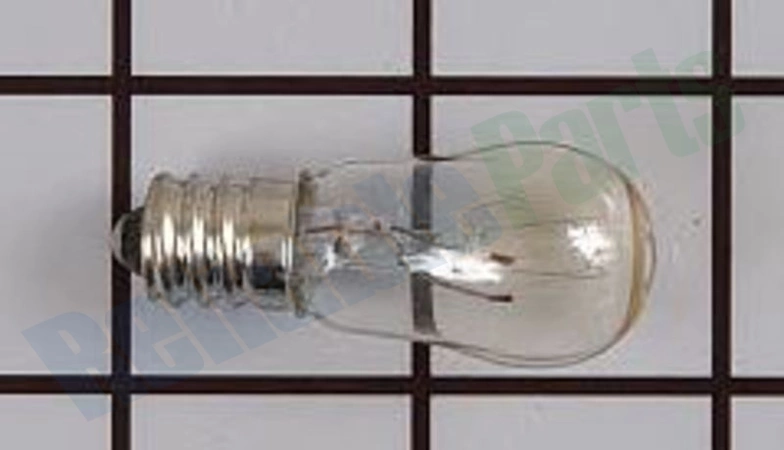
80-54205-00 U-Line Light
80-54205-00 U-Line Light
Package Dimension : 4.92 x 3.54 x 1.26
Compatible Brands

About this product
80-54205-00 U-Line Light
Package Dimension : 4.92 x 3.54 x 1.26
The following parts are replaced by this product
- 31317
Step 1: Carefully unscrew the burnt light bulb.
Step 2: Purchase a compatible replacement U-Line 80-54205-00 light bulb.
Step 3: Unpack the new light bulb and be sure it is securely held in place with your fingers.
Step 4: Gently insert the new light bulb into the same socket as the old bulb.
Step 5: Twist the new light bulb in a clockwise direction until it is securely in place.
Step 6: Ensure the power switch is off before testing the new light bulb.
Step 7: Turn on the power switch and test the light to ensure it is working properly.
Step 8: Enjoy your newly replaced U-Line 80-54205-00 light bulb.
Please keep in mind, these instructions are for general guidance and should always be used in conjunction with the manufacturer's manual, if available.
Step 2: Purchase a compatible replacement U-Line 80-54205-00 light bulb.
Step 3: Unpack the new light bulb and be sure it is securely held in place with your fingers.
Step 4: Gently insert the new light bulb into the same socket as the old bulb.
Step 5: Twist the new light bulb in a clockwise direction until it is securely in place.
Step 6: Ensure the power switch is off before testing the new light bulb.
Step 7: Turn on the power switch and test the light to ensure it is working properly.
Step 8: Enjoy your newly replaced U-Line 80-54205-00 light bulb.
Please keep in mind, these instructions are for general guidance and should always be used in conjunction with the manufacturer's manual, if available.
Login and Registration Form