


Online Sale!
100% Guaranteed Genuine Parts
Online Sale!
100% Guaranteed Genuine Parts
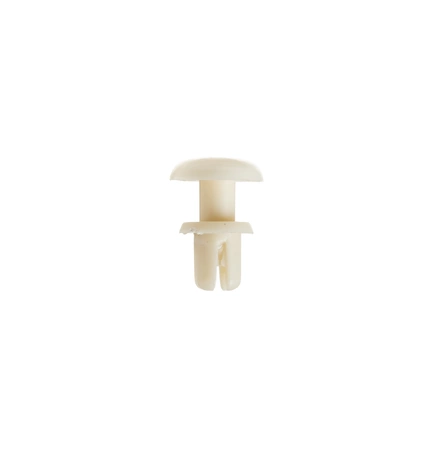
WB03X27704 GE Locking Button
Ensure your oven operates smoothly with the WB03X27704 locking button from GE. This essential fastener is designed for compatibility with a range of brands, including GE, Hotpoint, Haier, Monogram, and Café, making it a versatile choice for various appliance models. Crafted with reliability in mind, this locking button guarantees secure operation, enhancing your appliance's safety and efficiency. Ideal for those looking to maintain their kitchen devices, this part simplifies the replacement process, ensuring your oven functions as intended. Trust in GE's quality engineering to keep your home cooking experience seamless and enjoyable. Maintain your oven today with this dependable locking button.
Weight : 0.10 lbs
Package Dimension : 1.26 x 0.98 x 0.63
Compatible Brands


About this product
Ensure your oven operates smoothly with the WB03X27704 locking button from GE. This essential fastener is designed for compatibility with a range of brands, including GE, Hotpoint, Haier, Monogram, and Café, making it a versatile choice for various appliance models. Crafted with reliability in mind, this locking button guarantees secure operation, enhancing your appliance's safety and efficiency. Ideal for those looking to maintain their kitchen devices, this part simplifies the replacement process, ensuring your oven functions as intended. Trust in GE's quality engineering to keep your home cooking experience seamless and enjoyable. Maintain your oven today with this dependable locking button.
Weight : 0.10 lbs
Package Dimension : 1.26 x 0.98 x 0.63
The following parts are replaced by this product
- WB02X10997
- WB2X10997
1. Unplug the range from the wall outlet.
2. Remove the screws around the top of the range's control panel.
3. Carefully lift the control panel off the range.
4. Locate the existing button locking mechanism (GE WB03X27704) on the rear of the control panel.
5. Unscrew the screws securing the WB03X27704 Button Locking in place.
6. Carefully disconnect the wiring harness connected to the WB03X27704 Button Locking.
7. Install the new GE WB03X27704 Button Locking by connecting the wiring harness and carefully tightening the screws.
8. Replace the control panel onto the range and secure it with the screws previously removed.
9. Plug the range back into its wall outlet.
Please keep in mind, these instructions are for general guidance and should always be used in conjunction with the manufacturer's manual, if available.
2. Remove the screws around the top of the range's control panel.
3. Carefully lift the control panel off the range.
4. Locate the existing button locking mechanism (GE WB03X27704) on the rear of the control panel.
5. Unscrew the screws securing the WB03X27704 Button Locking in place.
6. Carefully disconnect the wiring harness connected to the WB03X27704 Button Locking.
7. Install the new GE WB03X27704 Button Locking by connecting the wiring harness and carefully tightening the screws.
8. Replace the control panel onto the range and secure it with the screws previously removed.
9. Plug the range back into its wall outlet.
Please keep in mind, these instructions are for general guidance and should always be used in conjunction with the manufacturer's manual, if available.
Login and Registration Form