


Online Sale!
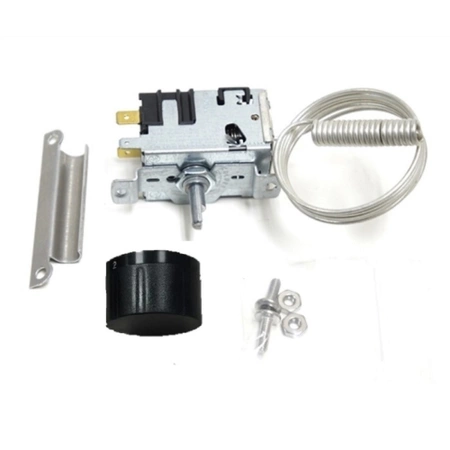
80-54097-00 U-Line Thermostat
80-54097-00 U-Line Thermostat
Weight : 0.22 lbs
Package Dimension : 7.24 x 5.35 x 2.36
Compatible Brands

About this product
80-54097-00 U-Line Thermostat
Weight : 0.22 lbs
Package Dimension : 7.24 x 5.35 x 2.36
No more associated models for this part.
Step 1: Turn off the power to the refrigerator by unplugging it or turning off the circuit breaker that supplies power to the unit.
Step 2: Locate the thermostat in the back side of your refrigerator.
Step 3: Remove the screws that are holding the thermostat in place and slide out the thermostat.
Step 4: Carefully unscrew the wires from the terminals of the old thermostat and attach them to the new U-Line 80-54097-00 thermostat. Note: Black goes to “1â€, Blue goes to “2â€, and Red goes to “3â€.
Step 5: Place the new thermostat into position and secure with the screws.
Step 6: Test the new thermostat. Plug the refrigerator back in and test the temperature setting. Adjust as necessary.
Step 7: Replace any insulation that may have came loose when the thermostat was removed.
Step 8: Enjoy your well deserved result!
Please keep in mind, these instructions are for general guidance and should always be used in conjunction with the manufacturer's manual, if available.
Step 2: Locate the thermostat in the back side of your refrigerator.
Step 3: Remove the screws that are holding the thermostat in place and slide out the thermostat.
Step 4: Carefully unscrew the wires from the terminals of the old thermostat and attach them to the new U-Line 80-54097-00 thermostat. Note: Black goes to “1â€, Blue goes to “2â€, and Red goes to “3â€.
Step 5: Place the new thermostat into position and secure with the screws.
Step 6: Test the new thermostat. Plug the refrigerator back in and test the temperature setting. Adjust as necessary.
Step 7: Replace any insulation that may have came loose when the thermostat was removed.
Step 8: Enjoy your well deserved result!
Please keep in mind, these instructions are for general guidance and should always be used in conjunction with the manufacturer's manual, if available.
Login and Registration Form